Come installare e regolare un setaccio vibrante a ultrasuoni per la vagliatura di polveri fini
Fine powder can be difficult to screen when particles stick to the mesh or cause frequent mesh clogging. An ultrasonic vibrating screen adds high-frequency vibration to the screen mesh to help fine particles pass through the openings and reduce buildup on the mesh.
However, good screening results depend on more than the sistema a ultrasuoni. Screen mesh tension, feeding rate, vibration amplitude, ultrasonic settings, and material flow all need to be properly adjusted. This guide explains how to set up and adjust an ultrasonic vibrating screen for fine powder screening, with practical tips for battery powder, pharmaceutical powder, chemical powder, metal powder, and other fine materials.
Why Proper Setup Matters for Fine Powder Screening
Fine powder screening requires stable machine settings. Small particles can stick to the mesh, build up on the screen surface, or block the mesh openings. When the screen tension, feeding rate, vibration, or ultrasonic settings are not correct, screening efficiency can decrease.If mesh blockage occurs repeatedly, see our guide to intasamento delle maglie per polveri fini to identify the common causes and suitable prevention methods.
Proper installation and adjustment help the material move evenly across the screen, reduce mesh clogging, and maintain stable screening performance.
Why Fine Powder Is Difficult to Screen
Fine powders often have poor flowability and may stick together or carry static electricity. During screening, these particles can stay on the mesh and block the openings. This is common when screening battery powder, graphite powder, pharmaceutical ingredients, chemical powder, metal powder, and other fine materials.
The problem becomes more noticeable when using fine or high-mesh screens. If the material layer is too thick or the feed rate is too high, fewer particles can contact the mesh openings, which can further reduce screening efficiency.
How Ultrasonic Vibration Helps Prevent Mesh Clogging
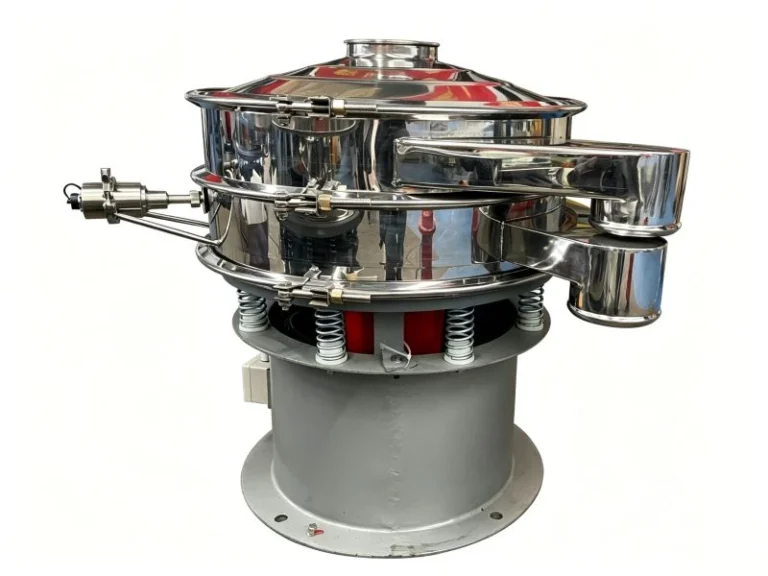
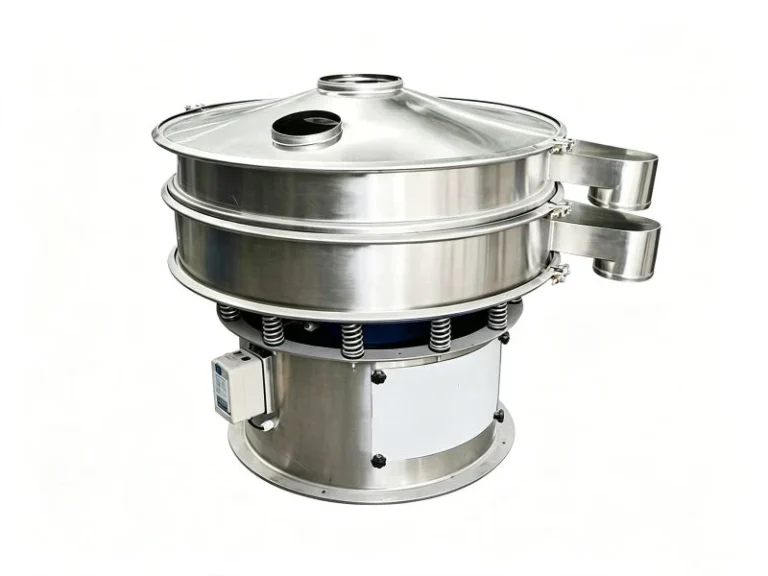
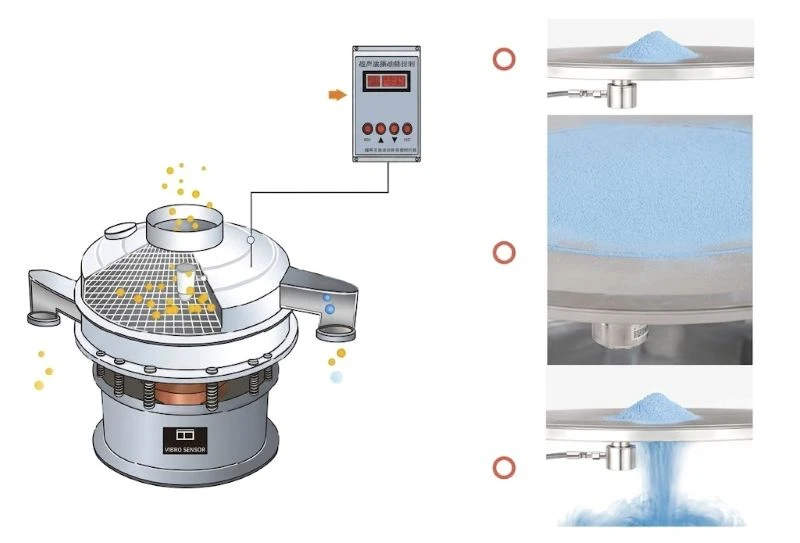
Un setaccio vibrante a ultrasuoni combines normal mechanical vibration with high-frequency vibration on the screen mesh. The main vibration moves the material across the screen, while the ultrasonic system creates high-frequency vibration on the mesh surface.
This vibration helps reduce particle adhesion and keeps fine particles moving through the mesh openings. It is especially useful for fine powder screening where a conventional vibrating screen may have problems with mesh clogging or low screening efficiency.
The ultrasonic system does not replace the main vibration system. Both systems need to work together with the correct mesh, feeding rate, and machine settings.
When Should You Use an Ultrasonic Vibrating Screen?
An ultrasonic vibrating screen is a suitable choice when conventional screening has problems with mesh clogging, low output, or unstable fine powder screening.
It is commonly used for fine powders and high-mesh applications, including battery materials, graphite powder, pharmaceutical powder, chemical powder, metal powder, ceramic powder, and other materials that are difficult to screen with a standard vibrating screen.
How to Set Up an Ultrasonic Vibrating Screen
Proper setup is the first step to stable fine powder screening. Before starting the machine, check the installation conditions, screen mesh, ultrasonic system, and power supply to make sure all parts are correctly connected.
Step 1: Prepare the Installation Area and Make the Connections
The installation area should meet the required operating conditions. For the equipment covered in this guide, the recommended ambient temperature is 0°C to 55°C, with a relative humidity of 30% to 90% without condensation.
Leave at least 50 cm of space around the machine for operation and maintenance. Use a reliable AC 220 V power supply with proper grounding.
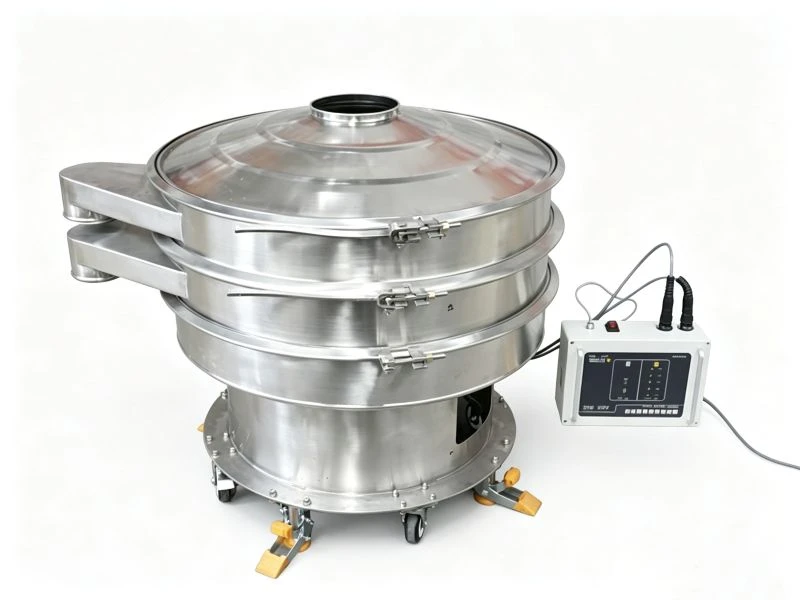
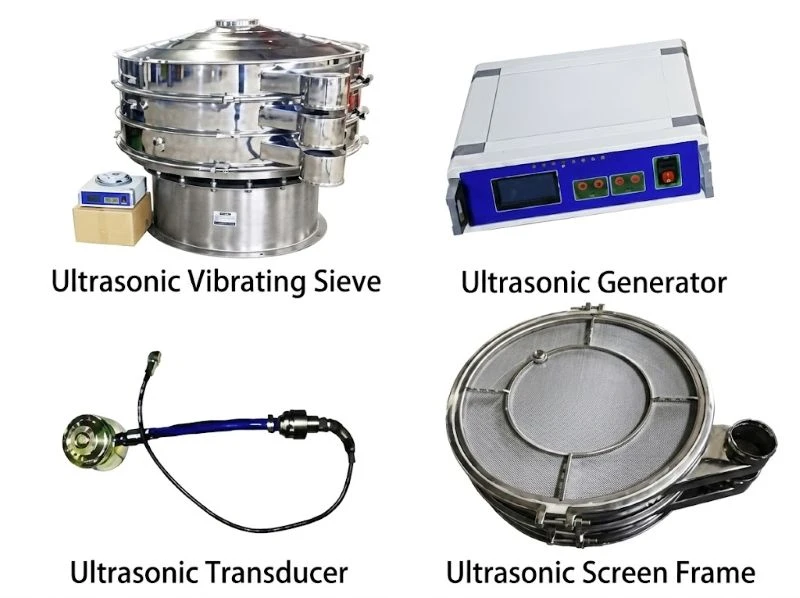
Connect the ultrasonic generator to the ultrasonic interface of the vibrating screen according to the cable labels. Make sure the connectors are fully inserted and locked. The connection between the ultrasonic transducer and the screen system should also be secure.
Step 2: Start the Equipment and Check the Operating Condition
Before starting the ultrasonic generator, turn the power off and set the fine adjustment knob to a low position. Then switch on the generator and check the operating parameters.
For the equipment in this setup, the normal working current should be below 200 mA. Also check for abnormal noise, unusual vibration, warning signals, or other signs of improper operation.
Do not start continuous production until the machine and ultrasonic system are running normally.
Step 3: Adjust the Vibrating Screen and Ultrasonic Settings
First, adjust the three-dimensional vibrating screen so that the material follows a suitable movement pattern on the screen. Then adjust the vibration frequency, amplitude, and control mode according to the material and screening requirements.
Start the screen with a small amount of material. Slowly adjust the ultrasonic generator and observe how the material moves through the mesh. The operating current should remain below 200 mA during adjustment.
Small changes are better than large adjustments. Make one adjustment at a time and check the screening result before making another change.
Step 4: Test the Machine Before Normal Feeding
After the screening condition becomes stable, gradually increase the feed rate. Check whether the material is evenly distributed, whether fine particles pass through the mesh, and whether mesh clogging occurs.
If necessary, make small adjustments to the ultrasonic frequency, vibration amplitude, or feed rate. Once the machine runs steadily, carry out a continuous test and check the maglia della rete, ultrasonic transducer, and other key parts before starting normal production.
How to Adjust an Ultrasonic Vibrating Screen
Ultrasonic vibrating screen adjustment should be based on the material, screen mesh, feed rate, and required screening result. The main settings include vibration amplitude, ultrasonic frequency, screen angle, feeding rate, and material residence time.
Adjust the Vibration Amplitude
The vibration amplitude can be adjusted in several ways depending on the machine design.
For the ultrasonic system, changing the output power of the ultrasonic generator can change the ultrasonic vibration amplitude. Turn the power adjustment knob gradually and observe the screening result. Avoid increasing the power too quickly.
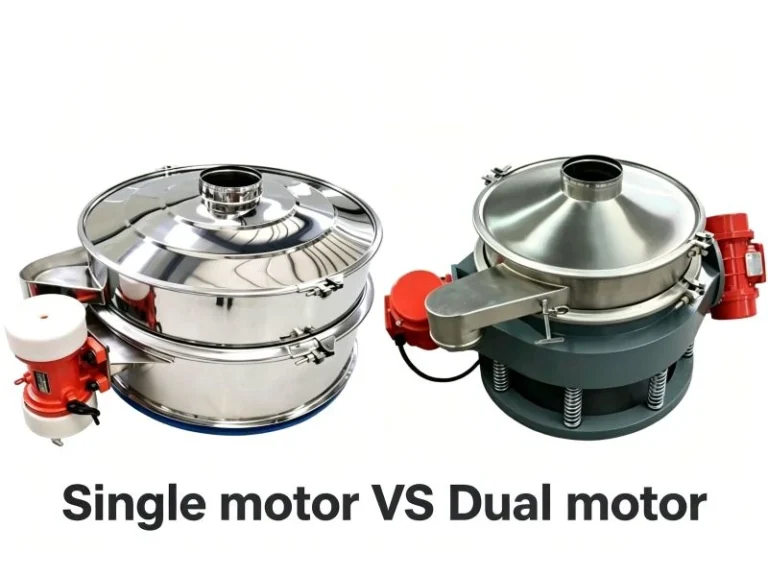
The mechanical vibration amplitude can also be adjusted by changing the counterweight of the vibration motor. The lower weight mainly affects the vertical vibration, while the upper weight mainly affects the horizontal movement of the material.
The position and weight of the counterweights affect the material movement and vibration strength. When making adjustments, mark the original position first and make small changes, such as 15° to 30° at a time, then check the machine response.
For regular operation, a counterweight angle of around 60° to 90° is generally recommended for the equipment described here. Avoid keeping the weights locked at 0° for long periods, as this may increase the load on the bearings.
Replacing the ultrasonic transducer is another way to change the vibration characteristics, but this is normally considered only when the existing transducer does not match the application.
Optimize the Vibration Frequency
The vibration frequency affects how quickly the material moves across the screen. A suitable frequency helps the powder spread evenly and gives fine particles enough opportunity to pass through the mesh.
Do not simply use the highest frequency. Start with the recommended setting for the equipment and material, then make small adjustments while checking the screening efficiency and mesh condition.
The best setting depends on the material properties, screen mesh, feed rate, and required capacity.
Adjust the Screen Angle
The screen angle affects material flow speed and screening time. A suitable angle allows the material to move steadily across the screen without leaving the screen too quickly.
For the equipment and application described here, a screen angle of around 15° can be used as a reference. For some circular vibrating screen designs, 16° to 20° may be suitable.
If the angle is too low, material may move slowly or roll backward on the screen. If it is too high, the material may move too quickly and have less time to pass through the mesh.
The actual angle should be adjusted according to the material, screen size, particle size, and required output.
Control the Feeding Rate
Feeding rate has a direct effect on fine powder screening efficiency. If too much material enters the screen at once, the material layer becomes too thick and fewer particles can reach the mesh openings.
Use a steady and even feeding rate instead of feeding a large amount of material at once. This helps prevent material buildup and reduces the risk of mesh clogging.
Improve Material Distribution
The material should be spread as evenly as possible across the screen surface. A distributor or guide plate can be used when needed to prevent material from collecting in one area.
Uneven feeding means that part of the screen may be overloaded while another part is not fully used. Better material distribution helps make full use of the available screening area.
Increase Screening Time When Needed
Some difficult-to-screen materials need more time on the screen to reach the required separation accuracy. If the material moves too quickly, some fine particles may leave the screen before passing through the mesh.
For certain applications, a gate can be installed near the discharge outlet to increase the material residence time. This should be done carefully because excessive residence time can reduce production capacity.
Common Ultrasonic Vibrating Screen Problems and Solutions
An ultrasonic vibrating screen usually relies on three key systems for fine powder screening: the vibration motor, ultrasonic screening system, and screen mesh. When screening efficiency decreases, these parts should be checked first.
Vibration Motor Problems
The vibration motor provides the main driving force for the screen. If the motor’s excitation force changes because of wear, loose parts, or other operating problems, the material movement can become unstable and affect screening efficiency.
Regular inspection and maintenance of the vibration motor can help keep the machine running properly. Check for abnormal noise, excessive vibration, loose fasteners, and other signs of motor problems.
Ultrasonic Transducer Problems
The ultrasonic transducer is a key part of the ultrasonic screening system. It converts electrical energy from the generator into high-frequency vibration that is transferred to the screen mesh.
Common problems include moisture, damaged ceramic components, overheating, or bonding failure.
If moisture is suspected, the transducer can be checked with a megohmmeter. For the equipment described here, the insulation resistance should normally be above 5 MΩ. If the value is too low, the transducer may need to be dried in a suitable oven or with controlled warm air until the insulation resistance returns to the required range.
If the ceramic component is cracked or the transducer is damaged, the faulty unit should be replaced or repaired by qualified personnel. A damaged transducer should not be forced to operate.
If the transducer bonding has failed after long-term use, it may be possible to re-bond it depending on the transducer design and manufacturer requirements.
Screen Mesh Problems
The screen mesh is another common cause of low screening efficiency. Loose tension, incorrect installation, excessive material loading, unsuitable mesh specifications, or damaged mesh can all affect screening accuracy.
Fine powder applications often use fine or high-mesh screens, so mesh quality and installation are especially important. Select the correct mesh opening and material for the application, check the mesh tension regularly, and replace damaged or worn mesh in time.

How to Maintain an Ultrasonic Vibrating Screen
Regular maintenance helps keep the ultrasonic vibrating screen stable and extends the service life of key components.
Check and Lubricate the Bearings
The bearings carry the operating load of the vibrating screen and vibration motor. Proper lubrication is important for bearing life and machine performance. Check the bearing condition regularly and use the correct lubricant according to the equipment manufacturer’s requirements.
Check for Abnormal Noise and Vibration
During operation, pay attention to unusual noise, excessive vibration, or changes in material movement. These may indicate problems with the vibration motor, bearings, screen frame, or other components.
Inspect Wear Parts Regularly
Check the screen mesh, sealing parts, fasteners, transducer, and other wear parts during regular maintenance. Replace damaged or worn components before they affect screening performance.
Keep the Ultrasonic Transducer Clean
Check the surface of the ultrasonic transducer and remove any powder or material buildup. A clean transducer helps maintain stable vibration transfer.
Do not apply excessive pressure to the transducer and keep it away from water and unnecessary impact.
Keep the Ultrasonic Generator Well Ventilated
Place the ultrasonic generator in a clean and well-ventilated area. Good airflow helps remove heat during operation and can extend the service life of the generator.
Conclusione
A good ultrasonic vibrating screen setup starts with the correct screen mesh and proper installation. During operation, the vibration amplitude, ultrasonic frequency, feeding rate, screen angle, and material residence time should be adjusted according to the actual screening condition.
For fine powder applications such as battery powder, pharmaceutical powder, graphite powder,and aluminum powder, do not rely on ultrasonic vibration alone. Keep the mesh properly tensioned, feed the material evenly, check the vibration system regularly, and keep the ultrasonic transducer and generator in good condition.
With the right setup and regular maintenance, an ultrasonic vibrating screen can reduce mesh clogging, improve fine powder screening efficiency, and provide more stable screening performance.